Physical Address
304 North Cardinal St.
Dorchester Center, MA 02124
Physical Address
304 North Cardinal St.
Dorchester Center, MA 02124

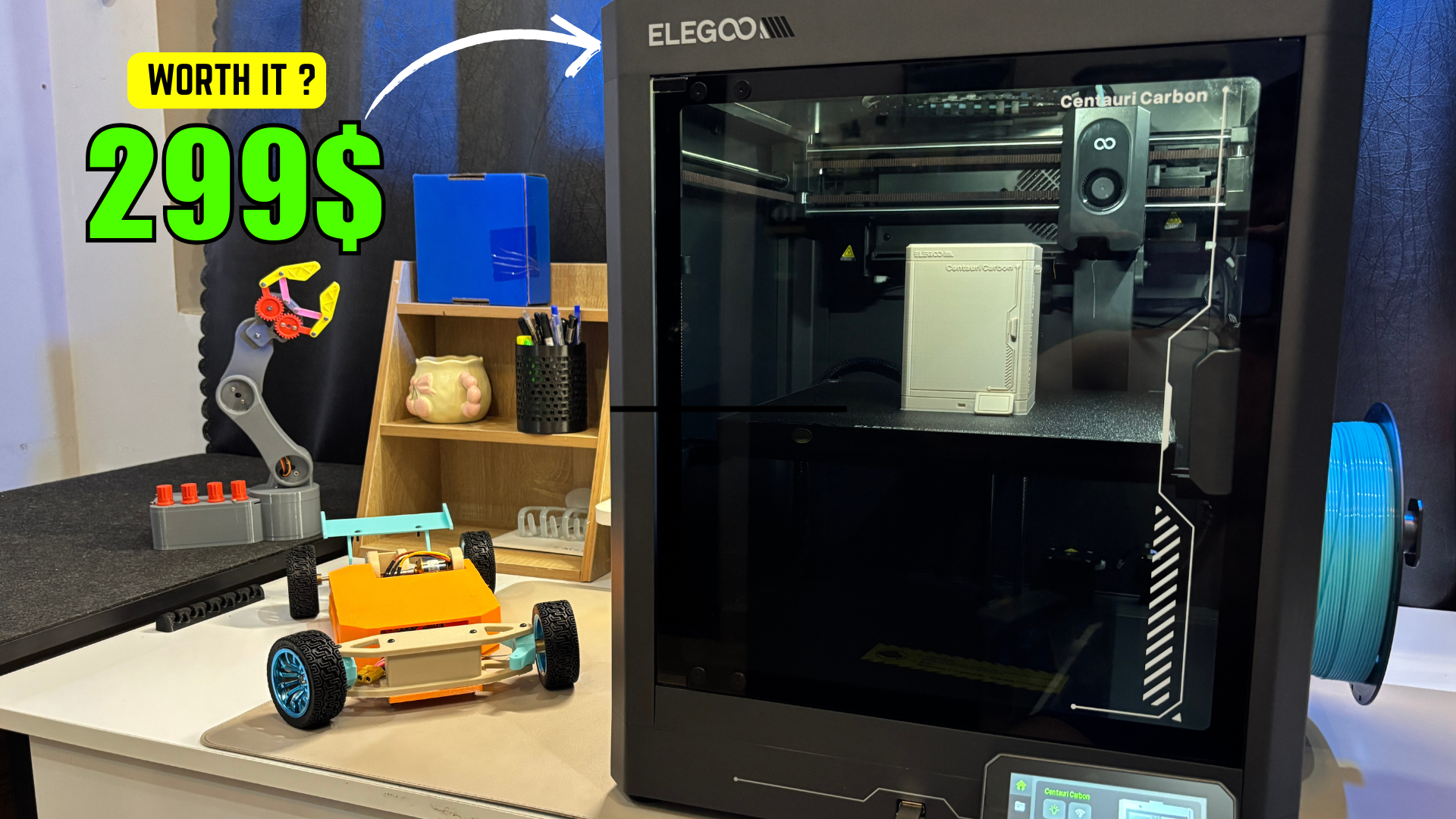
If you’re looking for an affordable yet capable CoreXY 3D printer, the Elegoo Centauri Carbon deserves your attention. At around under $300, it delivers features and performance that are usually only found in much more expensive machines.
Whether you’re a maker, hobbyist, or someone serious about rapid prototyping, the Centauri Carbon brings a lot to the table. I’ve spent real hours with this machine, and in this review, I’ll walk you through everything — from setup and day-to-day use to print quality and practical pros and cons, including my personal experiences with real prints.
The Elegoo Centauri Carbon takes the popular Centauri series and steps it up with a CoreXY motion system, aggressive speed claims, and modern features designed to reduce frustration and increase printing reliability.
Key highlights:
But how well does all of that hold up in real-world use? Let’s find out.
Right out of the box, my first impression was positive. The Centauri Carbon arrives in very solid packaging, with dense foam on all sides protecting the printer during shipping. Even accessories like tools and cables were tucked into their own cutouts, so nothing was rattling around inside the box.
The frame feels sturdy and well put together, which isn’t something you always get at this price point. Even before turning the printer on, it just feels like something that was designed with intention — not thrown together to hit a price tag.
One of the best parts about the Centauri Carbon is how straightforward the physical setup is.
You won’t be spending hours assembling parts before printing. Most of the machine is already put together at the factory. All I had to do was:
That’s it — within minutes, the printer was ready to power on and start calibration.
The calibration process does take a bit of time — around 15 to 20 minutes on the first run — but it’s automated and worth doing carefully. Once finished, the printer feels stable, well-tuned, and ready for reliable printing without constant adjustments.
The Centauri Carbon uses a CoreXY motion system, which is one of the reasons it can achieve very high speeds without sacrificing quality. In simple terms, this setup allows the printer to move the print head more efficiently and with less vibration, especially at higher velocities.
Elegoo advertises a maximum print speed of up to 500 mm/s with acceleration rates as high as 20,000 mm/s². In practical use, I didn’t always run it that fast — you don’t want to max out every print — but the printer definitely feels quicker and snappier than many Cartesian-style printers I’ve used in this price range.
Compared to a Bambu Lab A1, for example, the Centauri Carbon often gets prints started sooner and maintains a smooth motion, especially during long travel moves.
The printer offers a 256 × 256 × 256 mm build volume, which is a sweet spot for general-purpose printing — big enough for most functional parts, project components, and decorative models without feeling cramped.
This build volume also means the Centauri Carbon can use many third-party accessories designed for other printers with the same platform size, giving you more flexibility for upgrades down the line.
From a materials standpoint, I’ve used this printer successfully with:
The heated bed goes up to 100°C, which helps with adhesion on tougher filaments like ABS and ASA, but keep in mind that this machine doesn’t have a sealed heated chamber like some higher-end enclosed printers, so material performance at the edges of the envelope (like PC or nylon) can vary depending on ambient conditions.
One of the more modern features you’ll find on the Centauri Carbon is camera support — handy for monitoring prints remotely, checking progress, or capturing timelapse footage.
In practice, the live camera view works well, and having that remote monitoring capability is something I’ve actually found myself using more than I expected.
The touchscreen interface is responsive and intuitive, although the internal lighting still feels a bit dim during maintenance tasks. You’ll still want a small desk lamp or phone flashlight when swapping nozzles or clearing a jam, but during normal operation, the screen and camera make up for that limitation.
Print quality on the Centauri Carbon has been one of the most consistently positive parts of my experience. Even when printing at relatively high speeds, I didn’t see the sloppy layers or ringing that you sometimes get from cheap CoreXY clones.
Once I dialed in my slicer settings (retraction, temperatures, cooling), the printer produced clean surfaces, tight corners, and good dimensional accuracy.
Across materials like PLA and PETG, the results were very solid. I did push some composite filaments (like carbon fiber reinforced PLA), and the output was surprisingly stiff and detailed — no obvious delamination or under-extrusion issues.
For everyday printing, you’ll be hard-pressed to find another sub-$300 CoreXY machine that prints both fast and well.
No printer is perfect, and the Centauri Carbon does have a few areas that left me wanting more:
Even with most fans disabled, the machine is on the louder side. The heatbreak cooling fan seems to run longer than necessary at times, which means more background noise in your workspace.
Loading filament into the extruder can feel a bit awkward. The entry angle is sharp, so new users might struggle at first until you get used to how it feeds.
Although the camera is great, the internal lighting is still a bit dim for hands-on maintenance. You can print fine, but tasks like nozzle changes or filament clearing benefit greatly from an external light source.
In my view, the Elegoo Centauri Carbon is best for:
✅ Makers and hobbyists who want speed + quality + value
✅ Users who like CoreXY performance but don’t want to spend big
✅ People printing functional parts and composites
✅ Anyone who wants a reliable sub-$300 machine with good long-term potential
It may not be perfect for:
❌ Complete beginners who want plug-and-play simplicity
❌ Users who need ultra-quiet operation
❌ Those who demand flawless lighting or ultra-heavy materials (without added enclosure)
The Elegoo Centauri Carbon delivers an impressive balance of speed, quality, and usability, especially given its affordable price tag. It doesn’t just look fast on paper — in real use, it feels responsive, capable, and surprisingly consistent.
For anyone who wants a budget CoreXY that can grow with your skills, this printer is a very compelling option.
If you’re deciding between the Centauri Carbon and other entry-level CoreXY models, I’d suggest thinking about how much you value speed and material flexibility. On those fronts, this machine stands out.
If you’re interested in the Elegoo Centauri Carbon or want to check the current price and availability, I’ll leave a link below.
If you have questions, prints you want me to test, or want a comparison with printers like the Bambu A1 or Anycubic Kobra, let me know in the comments — I’m happy to follow up!